Add a new or update an existing Funding Opportunity
- Log into the research website at https://research.umgccc.org/user/login. In case you forgot your password, you may reset it by entering your school email address at https://research.umgccc.org/user/password.
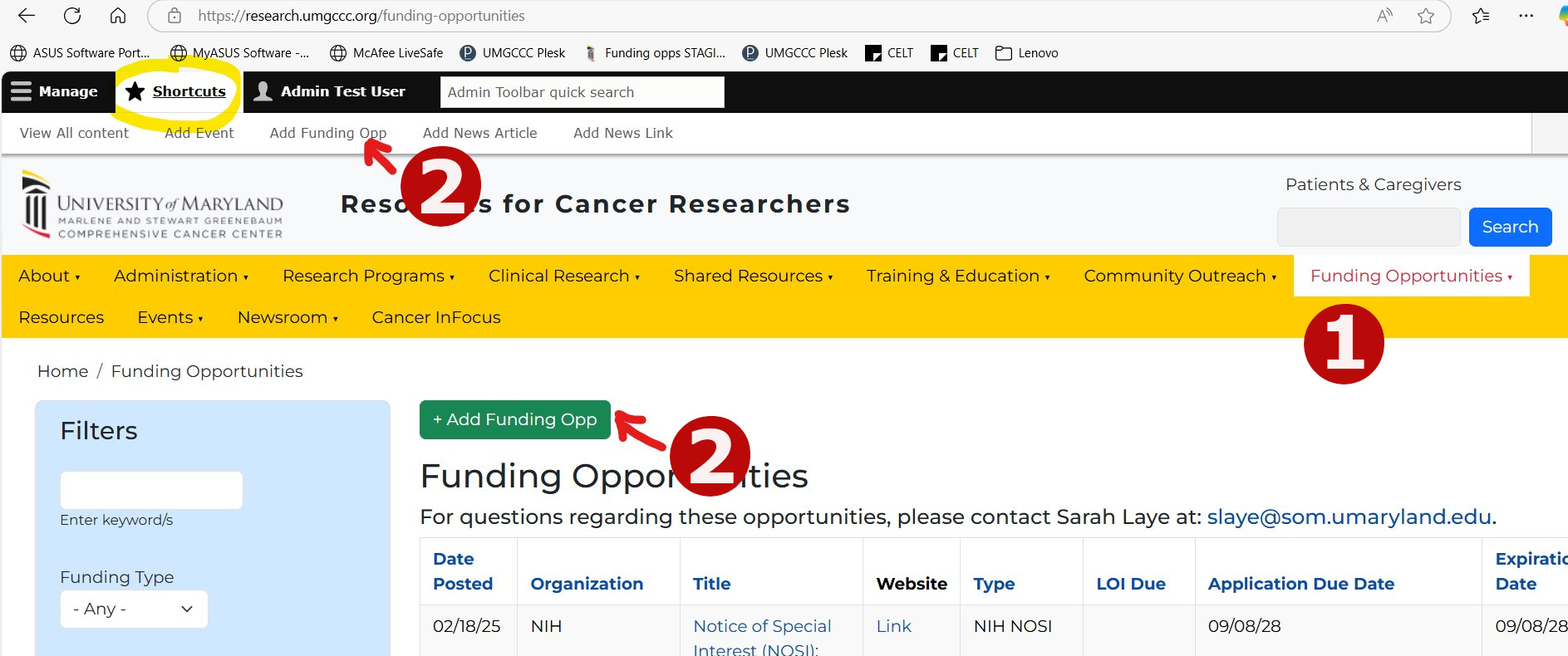
- Navigate to Funding Opportunities on the yellow main navigation bar (https://research.umgccc.org/funding-opportunities).
- Click Add Funding Opp button or, click Shortcuts at top left to pull down links to add content including funding opps.
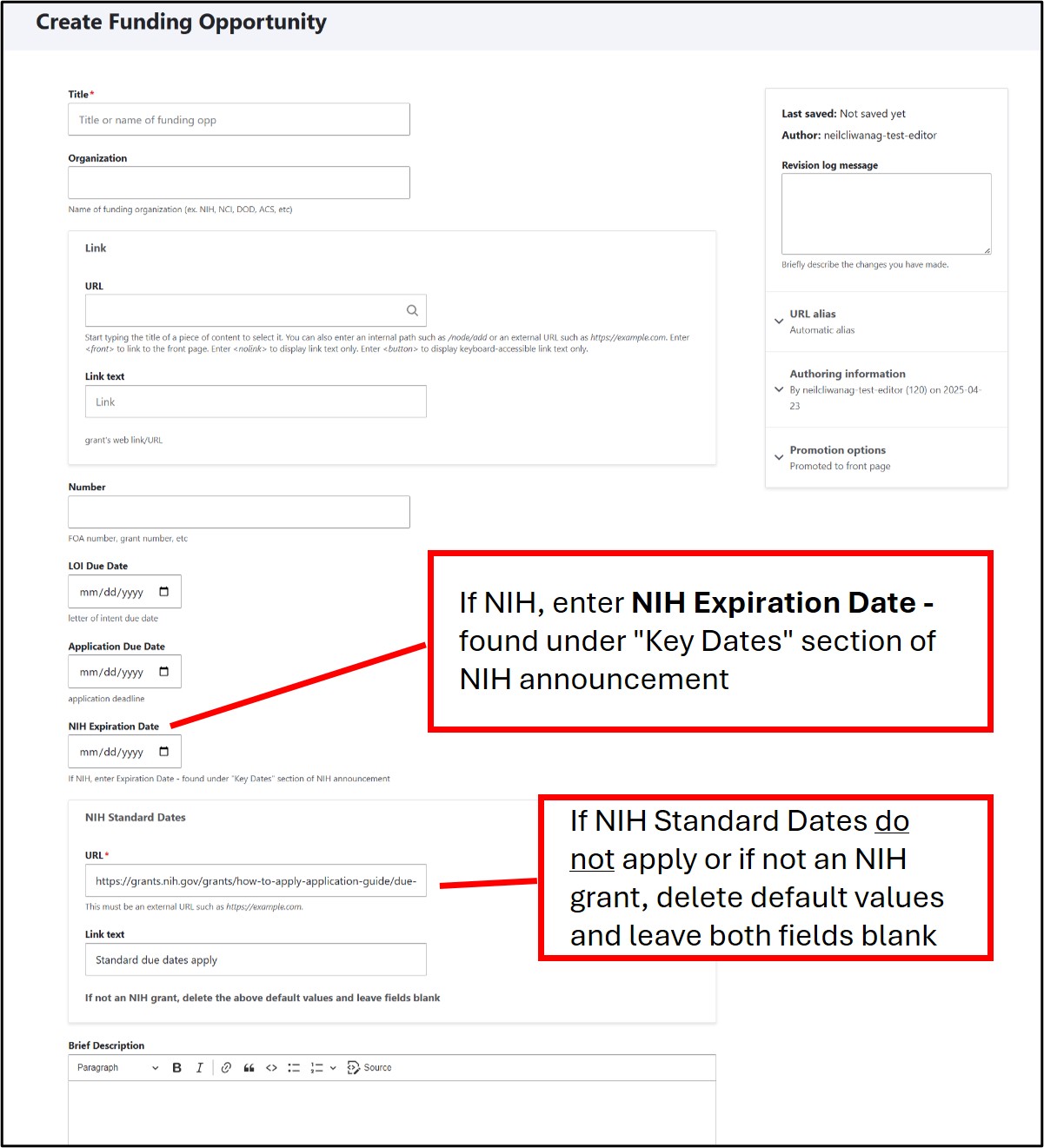
- Click a field to enter information. Once done filling out the form, scroll down and hit SAVE. Confirm if your entry was posted to the top of the Fundingopps table. Note: If NIH, enter NIH Expiration Date. If NIH Standard Dates do not apply, delete default values in the two NIH Standard Dates fields.
To Update an Existing Fundingopp:
- Go to Funding Opportunities then click the title you wish to update to pull up it's page.
- In the fundingopp's page, click Edit - this pulls up it's form.
- After making your changes in the form, scroll down and make sure Published is checked then hit Save - the page goes live. If you wish to take the event page offline, simply uncheck Published and save - the page will remain in the system but is no longer live or viewable except to the editor or administrator.
- To delete a Fundingopp, click Edit (step 1-2) then scroll down the form and click Delete - caution: this completely deletes the content from the system and is not retrievable.